


What is Setup your provider keys?
Bring Your Own Key allows you to use your own providers API keys with Costa Code. Instead of using Costa’s shared keys, you can configure your agents to use your personal or enterprise API keys from providers like Anthropic, OpenAI, etc.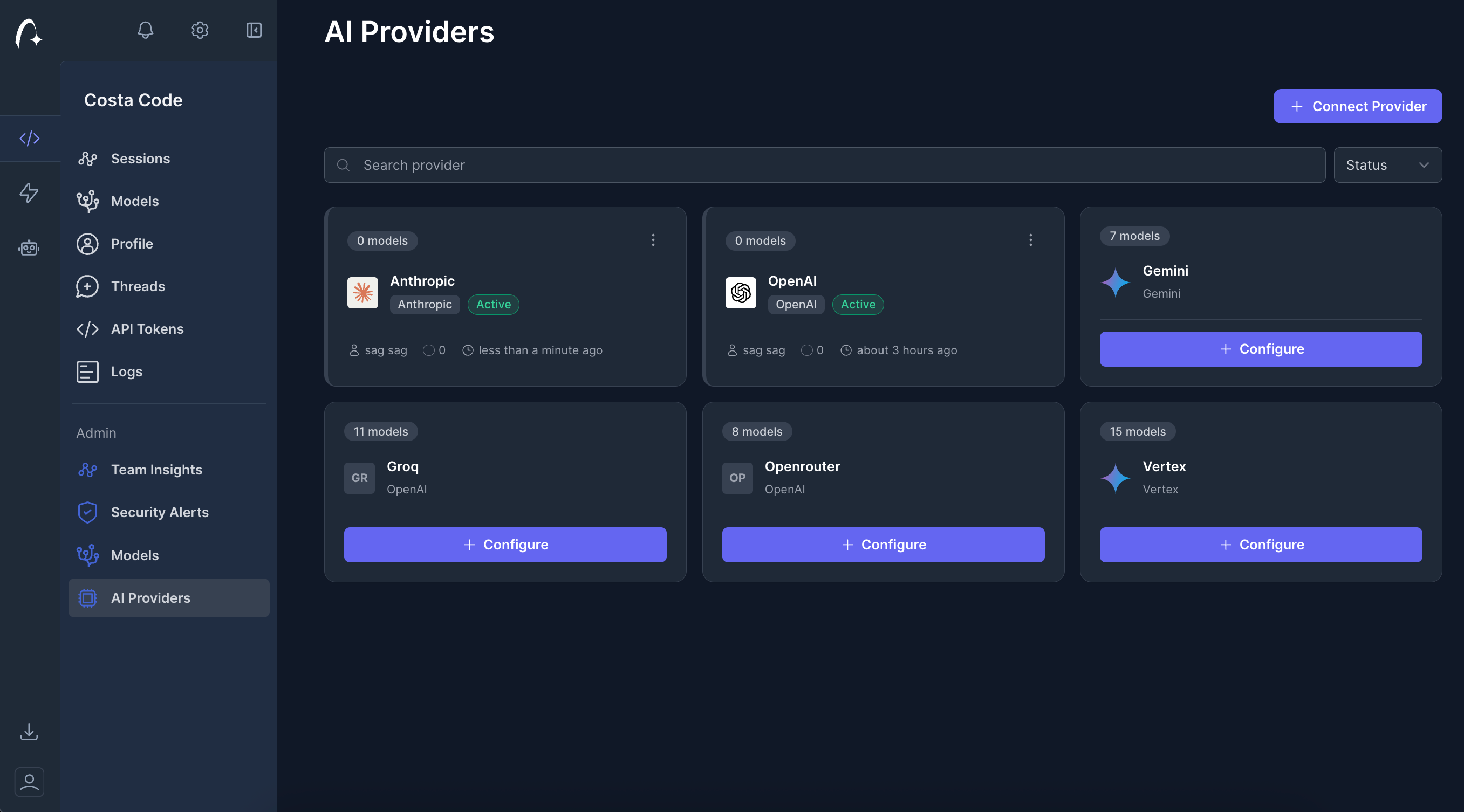
How it works
- You obtain API keys from your preferred LLM providers
- You add these keys to your Costa Code settings in the dashboard
- When agents make requests, they use your keys instead of Costa’s shared keys
- Billing and usage stay directly tied to your provider accounts
Adding your keys
To configure Provider keys in Costa Code:- Go to your Settings in the Costa Code dashboard
- Navigate to the Providers section
- Click Add Provider Key
- Select your provider (Anthropic, OpenAI, etc.)
- Enter your API key
- Save the configuration
Supported providers
- Anthropic
- OpenAI
- Gemini
- Openrouter
- Z.ai
Benefits
- Cost control: You’re billed directly by the provider
- Rate limits: Your usage is subject to your provider’s limits, not shared ones
- Privacy: Requests use your credentials
- Flexibility: Use keys with specific permissions or quotas
Best practices
- Use keys with appropriate permissions for your use case
- Monitor your provider’s usage and billing dashboards
- Rotate keys regularly for security
- Use different keys for different projects or environments